
Recordzilla Screen Recorder tutorials on how to record webcam from AIM, Skype, ICQ, MSN Messenger, web WhatApps and more.
You may use Recordzilla to record AIM, Skype, Messenger, web WhatApps conversation or webcam video conversation. In this article, we will be recording msn messenger:
1. Run Recordzilla from your desktop.
2. Set the recording region
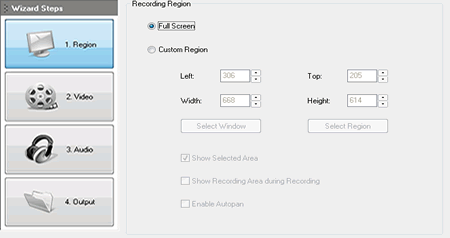
3. Select Custom Region option and click on Select Window
4. Switch back to your msn messenger's conversation window. Move your mouse over the conversation window until you get a red rectangle border frame surrounding it as follow:
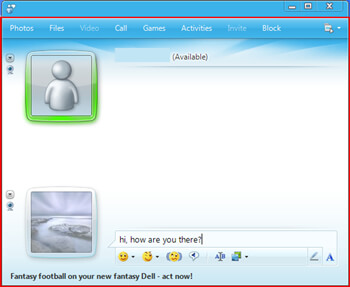
5. Press F4 to confirm the selection
6. On Recordzilla, click on 2. Video button and select the output video format that you wish to use
7. Click on 3. Audio button. Under record audio from, Look for "Stereo Mix, Stereo, Loopback, Wave, Wave Out Mix, Record Master or All". (Please note that the source name might be varies according to what sound cards you have) Windows Vista, Windows 7, Windows 8, Windows 10, Windows 11 users please refer to this guide
8. Click on 4. Output button and set Save File Manually.
9. Click on Record Now to start the video recording.
10. To stop a recording:
a) Using Hotkeys - Enter Shift + F5
b) Left-click on the System Tray red icon
c) Right-click on the System Tray red icon and select Stop Recording...
d) Right-click on the System Tray red icon, show Recordzilla and click on Stop recording button