Cool features to convert PDF into Images
Easily convert both single and multiple-page PDF files into a wide range of image formats, such as PNG, JPG, BMP, GIF, TIFF, ICO, JP2, J2C, PDF, TGA, WBMP, EXR, PNM, XPM, and many others.


Easily select and preview single or multiple-page PDF files before converting them into a wide range of image formats. This feature allows you to review the content before processing, ensuring accurate conversion and better control over the output.
Import PDF files individually or select an entire folder to process multiple files at once for efficient batch conversion. This allows you to quickly adding PDFs for conversion without the need to add files one by one, saving time and effort.


User-friendly step-by-step interface wizard that simplifies the conversion process, making it easy for both beginners and advanced users. Additionally, choose to save the converted PDF files to a fixed output location of your choice or directly to the source PDF folder.
Take full control over the output by customizing image format settings, including width, height, aspect ratio, and DPI. These flexible options ensure that your converted images meet specific quality and resolution requirements.

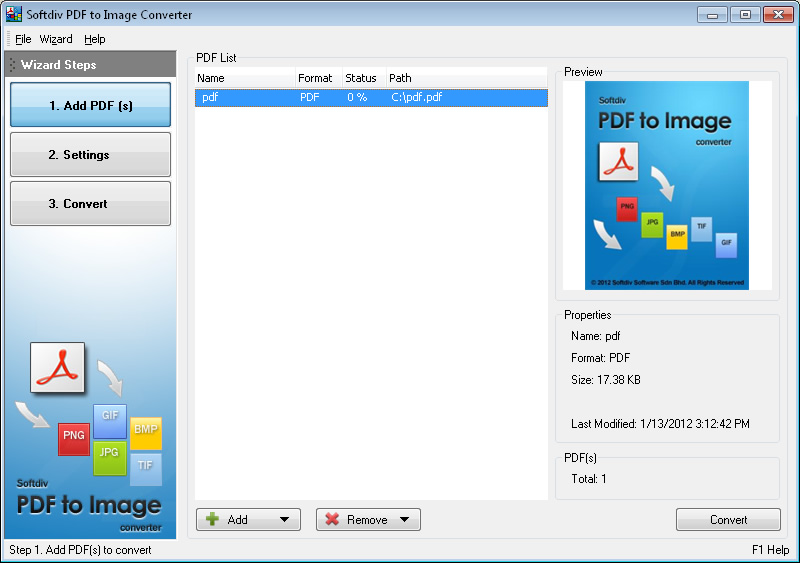
PDF to Image Converter
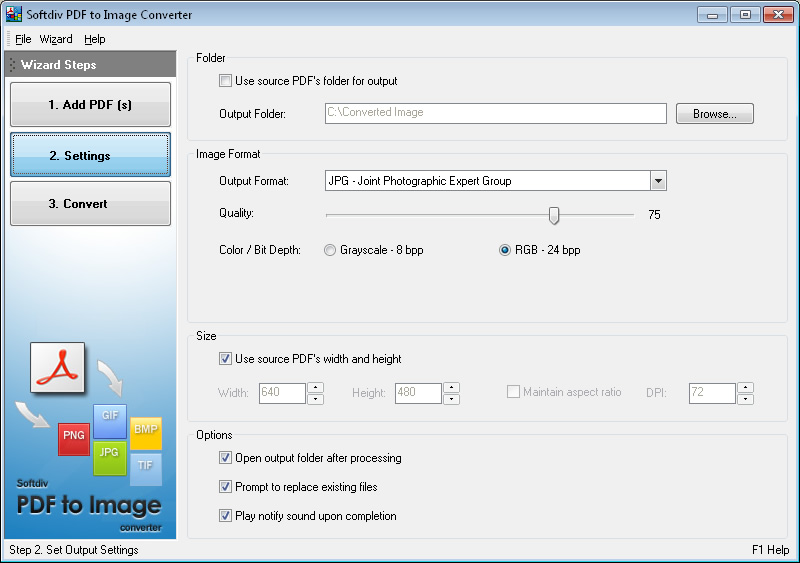
Settings
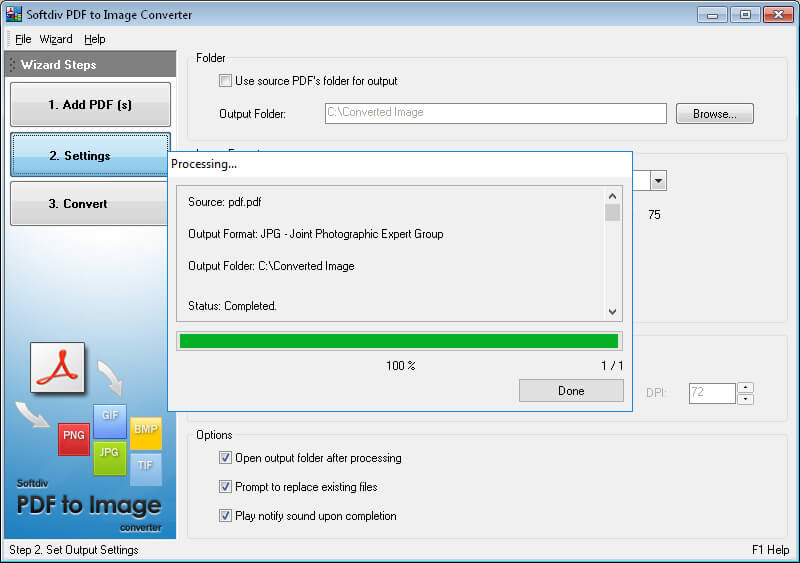
Progress
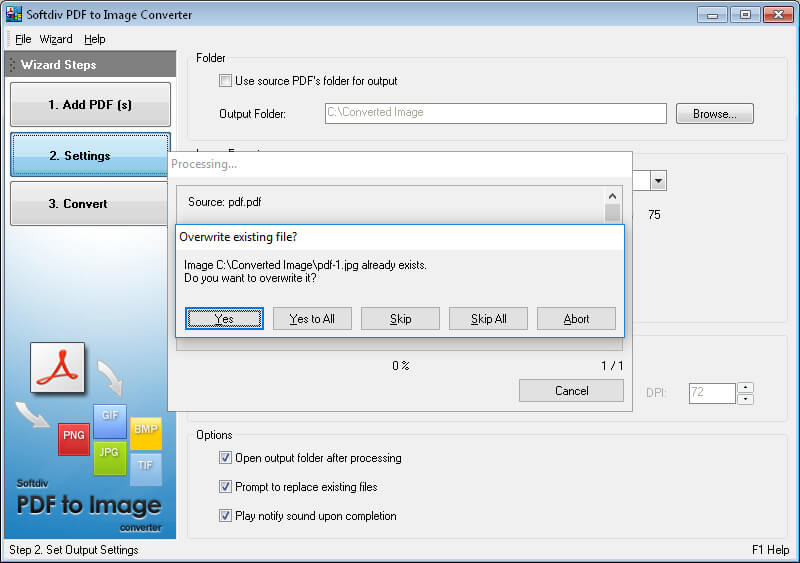
Overwrite Confirmation
BMP - Microsoft Windows Bitmap
GIF - Graphics Interchange Format
JP2 - JPEG-2000 Format
J2C - JPEG-2000 Codestream
JPG - Joint Photographic Expert Group
PDF - Portable Document Format
PNG - Portable Network Graphics Format
TGA - Truevision Targa Image
TIF - Tagged Image Format
ICO - Windows Icon
WBMP - Wireless Bitmap
EXR - OpenEXR Format
PNM - Portable AnyMap
XPM - X Windows System Pixmap Format
Microsoft Windows 7, 8, 10, 11
1.2GHz Intel or AMD CPU
1G RAM
512 MB Hard Disk Storage