Award Winning Audio & Video Software    
HomeProductsDownloadPurchaseSupportContact usAbout us
Audio Software
Dexster
AUDIOzilla
Softdiv MP3 to WAV Converter
My Audio Cutter
.
Video Software
RECORDzilla
VIDEOzilla
SNOSH
 
Photo Software
Photopus Pro
Softdiv PDF to Image Converter
 
Services
Forum
Download
Purchase
Upgrade
Support
Testimonials
.
Company
Contact Us
Press Release
About Us
Links


VIDEOzilla Video Converter - Convert video files

Videozilla Convert Video Files
Videozilla 3.5
Price: USD 29.95
OS: Win XP, 2000, 2003, 2008, Vista, 7, 8
 
Free Download Free Download Purchase Purchase
System Requirements
Screenshots
Award Reviews
Tutorials
FAQ
 

Videozilla is a complete video converting software to convert video files AVI, MPEG, RM, MOV, ASF, WMV, SWF, FLV, F4V, MKV, VOB, OGM, WEBM, OGV, MPEG-4 (iPhone/iPad/MP4/IPOD/Mobile/PSP/Zune), M4V, 3GP, 3G2, DAT, HD-Video (AVCHD, MTS, M2T, M2TS, TS) via a right-click menu on the selected video files. With as simple as a click, videozilla offers a simple and clean solution to convert video files into other format. Options can be set for start and end time of a video; video resolutions ; video and audio quality; plenty of codecs options are available.

Videozilla also perform audio extraction from a video and save as audio MP3 or WAV.

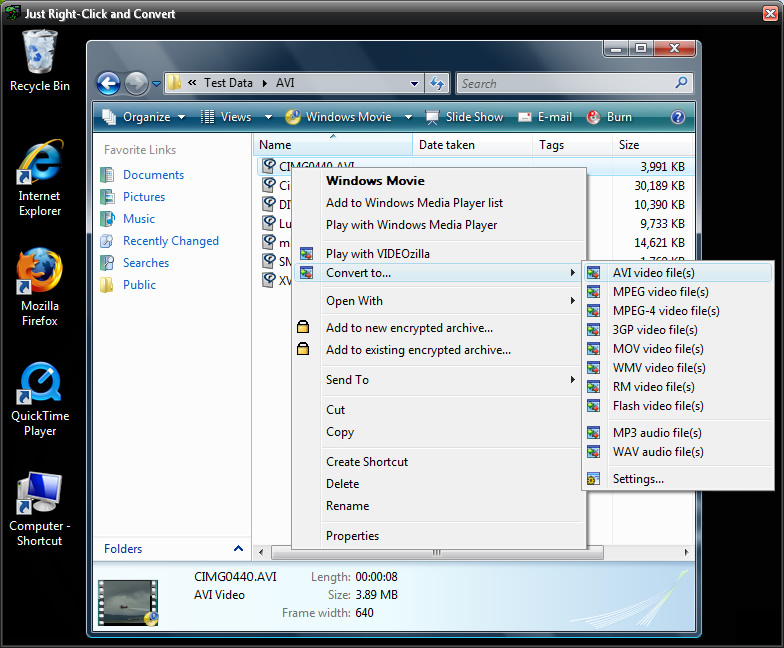
Just right-click any video files on Windows Explorer and click convert on the context menu shown, videozilla will immediately convert video files to another video formats or extract as only audio formats. Command-Line based video files conversion is also supported.

 
Supported formats:
Input Video Formats:
  • AVI (DivX, XviD, MS MPEG-4, Uncompressed, Cinepak and other)
  • MPEG (MPEG-1 and MPEG-2 Video, VCD and SVCD, PAL, and NTSC)
  • MPEG-4 format (iPhone, iPad, MP4, IPOD, Mobile, PSP, Zune, MOV 7, M4V)
  • 3GP format (3GP, 3G2)
  • WMV (Windows Media Video)
  • ASF format
  • QuickTime MOV, QT format
  • Flash FLV format
  • RM (Real Networks Video)
  • DAT (VideoCD)
  • MKV format - new
  • VOB format - new
  • MTS, M2T, M2TS, TS format - new
  • F4V format - new
  • OGV, OGM format - new
  • WEBM format - new
Output Video Formats:
  • AVI (DivX, XviD, MS MPEG-4, Uncompressed, Cinepak and other)
  • MPEG (MPEG-1 and MPEG-2 Video, VCD and SVCD, PAL, and NTSC)
  • DVD compliance format
  • MPEG-4 format (iPhone, iPad, MP4, IPOD, Mobile, PSP, Zune)
  • 3GP format (3GP, 3G2)
  • HD (High Definition) Video
  • MOV format
  • WMV (Windows Media Video)
  • RM (Real Networks Video)
  • Flash 8 SWF format
  • Flash 8 FLV format
  • Flash MX SWF format
  • Flash MX FLV format
  • Flash 3-6 SWF format
  • Flash Vector SWF format
Output Audio Formats: MP3, WAV
 
Features:
1. Video Converter

Convert video between almost any formats: AVI (DivX, XviD, MS MPEG-4, Uncompressed, Cinepak and other), MPEG (MPEG-1 and MPEG-2 Video, VCD and SVCD, PAL, and NTSC), MPEG-4 format (iPhone, iPad, MP4, IPOD, Mobile, PSP, Zune, MOV 7, M4V), H.263, H.264, 3GP, 3G2, WMV, ASF, QuickTime (MOV, QT), FLV, F4V, SWF, Real Video (RM, RMVB), DAT, Matroska (MKV), WEBM, HD-Video (AVCHD, Blu-ray, MPEG-2 HD, MTS, M2T, M2TS, TS), DVD (VOB), OGG Media (OGM, OGV).

 
2. FLV Video Converter
Convert FLV video (eg. You tube video) files to video/audio format supported by Videozilla.
 
3. iPhone/iPad/MP4/IPOD/Mobile/PSP/Zune Video Converter
Convert video files for your iPhone, iPad, IPOD, Mobile, PSP, Zune or any other MP4 devices.
 
4. 3GP Video Converter
Convert video files for your mobile device.
 
5. Video to Audio Converter
Save audio streams as audio MP3 or WAV.
 
6. Flash Video Converter
Convert video files to Flash 8 (SWF, FLV), Flash MX (SWF, FLV), Flash 3-6, or Flash Vector SWF.
 
7. Command-line feature
Convert between popular video formats via command-line.
 
8. Right-click Convert
Easiest way to convert video file(s). Just right-click and convert.
 
9. Video Player (Screenshot)
Support playback of all popular video formats. FLV video playback is also supported.
 
Screenshots:
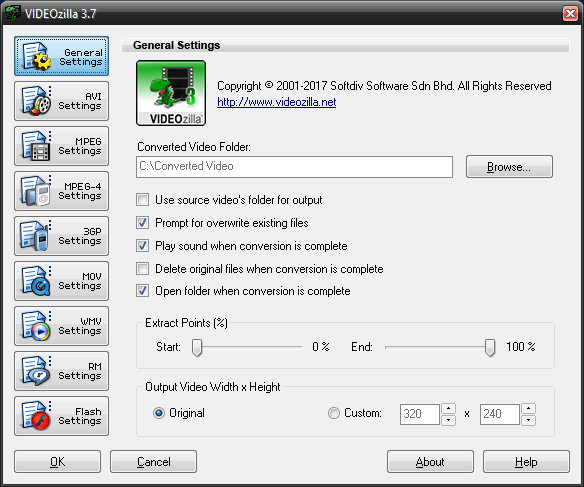
Videozilla Video Converter - preferences
Videozilla Video Converter - how to use
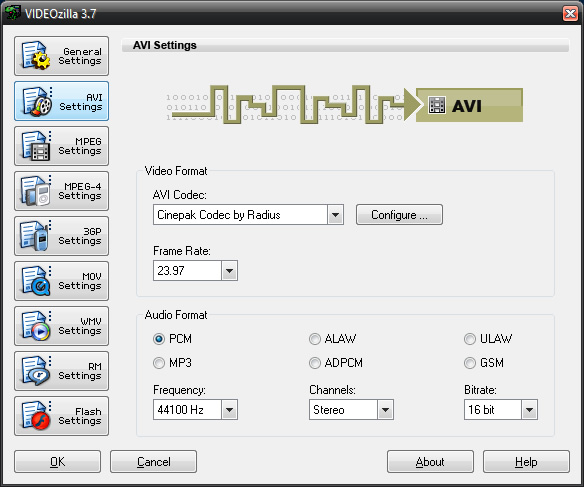
Videozilla Video Converter  - avi settings
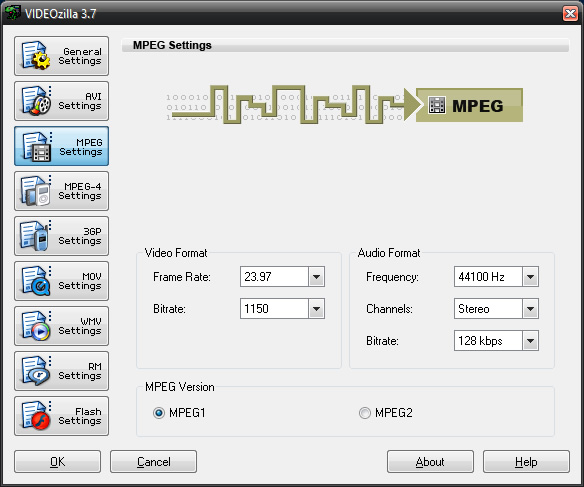
Videozilla Video Converter - mpeg settings
Preferences
How to use
Windows Right-click
AVI Settings
MPEG Settings
         
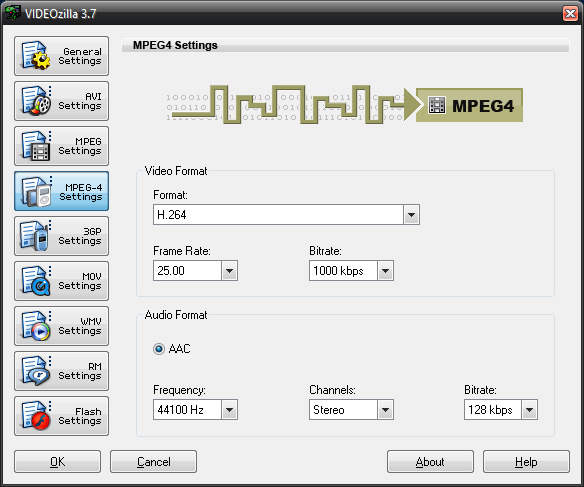
Videozilla Video Converter - mpeg4 settings
Videozilla Video Converter - 3gp settings
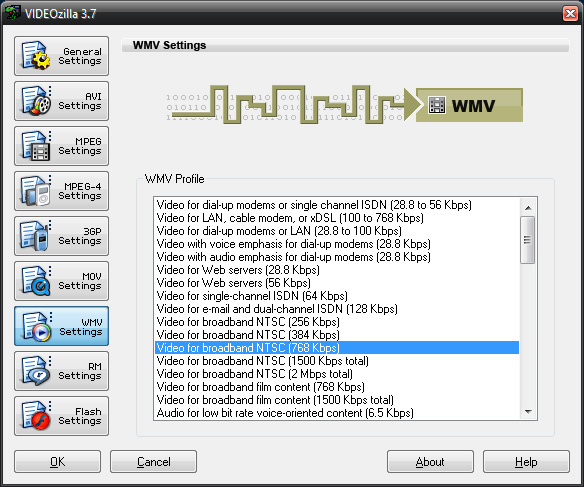
videozilla Video Converter - wmv settings
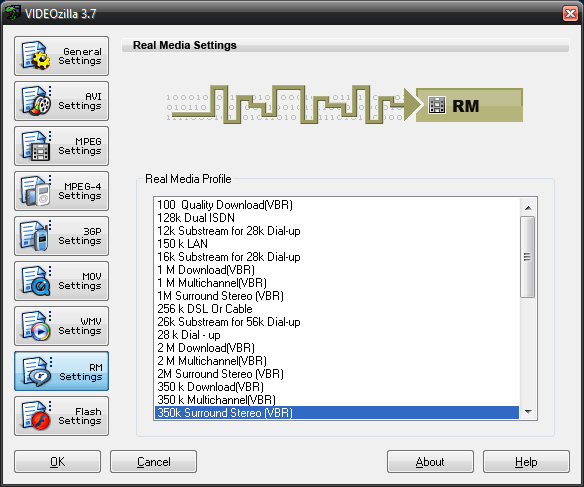
Videozilla Video Converter - rm settings
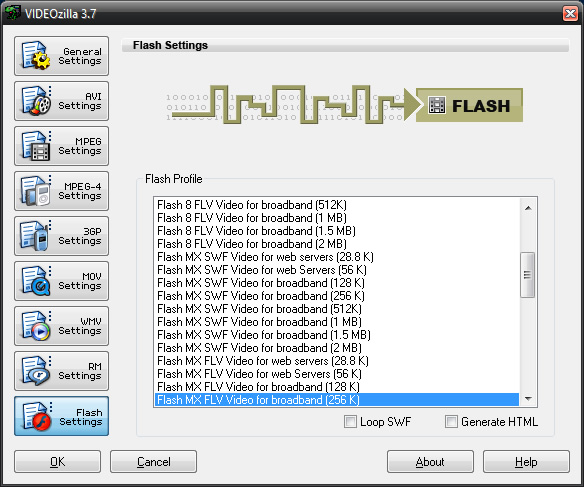
Videozilla Video Converter - flash settings
MPEG-4 Settings
3GP Settings
WMV Settings
RealMedia Settings
Flash Settings
         
System Requirements:
  • Microsoft Windows XP, 2000, 2003, 2008, Vista, 7, 8
  • Pentium 200 Processor
  • 64 MB RAM
  • 20 MB Hard Disk Storage
   
     Join Our Monthly Free NewsLetter
Subscribe to our FREE monthly newsletter to stay informed with our latest news, software release, software updates,special offers, and more.
Email Address:
 
Home
Products
Download
Purchase
Support
Sitemap
About us
Copyright © 2001- 2013 Softdiv Software Sdn Bhd. All Rights Reserved.