Learn how to adjust audio settings to achieve the best sound performance and output quality for your audio conversions
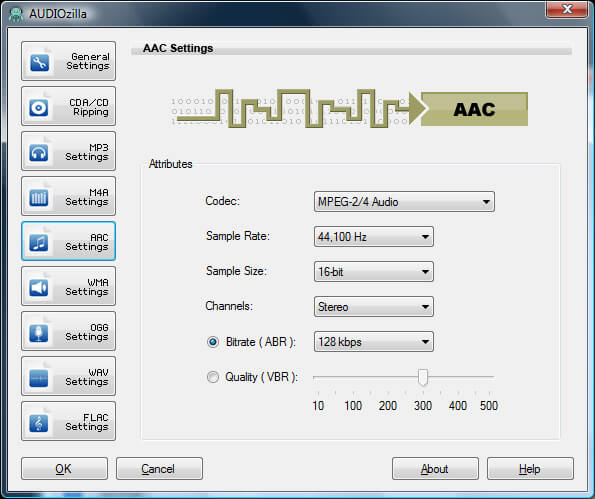
Fine-tuning your AAC audio settings can make a significant difference in achieving the best sound quality for your audio files. With Audiozilla, you can easily customize settings like bitrate, sample rate, and channels to suit your needs.
Sample Rate:
Number of sampling per second
Sample Size:
The number of bits of information recorded for each sample
Channels:
Mono: Mono data uses one channel.
Stereo: Stereo data uses two channels
Bitrate (ABR):
In this mode, the encoder will try to maintain an average bitrate while using higher bitrate for the parts of your audio that need more bits. The result will be of better quality than CBR encoding while the average file size will remain predictable.
Bitrate (VBR):
With variable bit rate AACs, the encoder automatically detects which bit rate is most appropriate for the sound being encoded.
The trial version will allow you to test the software before you buy it.
Download Size: 20.7 MB
OS: Win 7, 8, 10, 11
Price: $ 29.95
Version: 1.2 (version history)