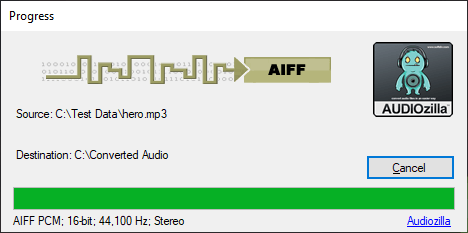
Easily convert audio files to and from AIFF format with this powerful AIFF Audio Converter. Enjoy high-quality audio conversions with a simple and efficient tool
Step by step tutorial on how to convert your audio files to AIFF audio format with the AIFF Audio Converter feature in Audiozilla
Step 1: From the Windows Explorer, select any audio files or video (MP3, MP2, WAV, WAVE, OGG, WMA, AAC, AC3, MP4, AIF, AIFF, FLAC, M4A, WMV, ASF, CDA, AU, WV, WVC, M4V, APE, MPC, MP+, MOD, VOC, CAF, RAW, PCM, GSM, VOX) then right-click the mouse.
Step 2: You will be able to see the Audiozilla Convert to... menu. Move your mouse to the Audiozilla Convert to... menu and select "AIFF audio file(s)" from the sub menus.
Upon completion, the converted directory will be popping out to shows where the files are converted.
The trial version will allow you to try Audiozilla software before you buy it.
Download Size: 20.7 MB
OS: Win 7, 8, 10, 11
Price: $ 29.95
Version: 1.2 (version history)