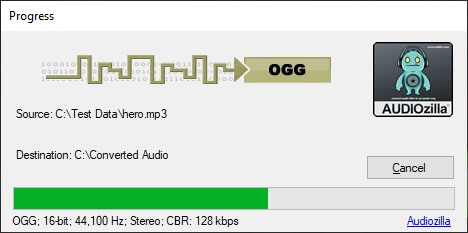
Convert your audio files to and from OGG audio format easily with this OGG Audio Converter software.
Step by step guide on how to convert your audio files to OGG audio format with the OGG Audio Converter feature in Audiozilla software.
Step 1: From the Windows Explorer, make selection of any audio or video files (MP3, MP2, WAV, WAVE, OGG, WMA, AAC, AC3, MP4, AIF, AIFF, FLAC, M4A, WMV, ASF, CDA, AU, WV, WVC, M4V, APE, MPC, MP+, MOD, VOC, CAF, RAW, PCM, GSM, VOX) and then right-clicking the mouse.
Step 2: From the Audiozilla Convert to... menu. Move your mouse to the Audiozilla Convert to... menu and select "OGG audio file(s)" from the sub menus.
Conversion will be started. Upon completion, the converted directory will be opened with the converted OGG audio files.
The trial version will allow you to test the software before you buy it.
Download Size: 20.7 MB
OS: Win 7, 8, 10, 11
Price: $ 29.95
Version: 1.2 (version history)