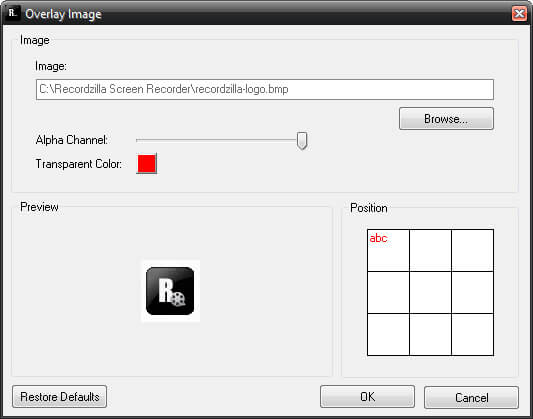
Learn how to customize the image overlay feature in the Screen Recorder software to add watermark image on the recording
You may use Recordzilla to add watermark image (overlay) on the screen recording. This is useful to copyrighted your video, add your logo on the screen recording and so forth. Check Image under the Video Settings and click on Settings button to customize the watermark image.
Image
Watermark image to be displayed on the screen recording.
Alpha Channel
You may select the value from 0 (invisible) to 255 (fully visible)
Transparent Color
Any region of the image that contain this color will be transparent on the screen recording.
Preview
This area will preview the selected watermark image
Position
The location where watermark image to be displayed