Learn how to draw to the screen while performing screen recording with a screen recorder software.
You may use Recordzilla Screen Recorder to draw on screen with different colors during the screen recording. To use the draw to screen feature:
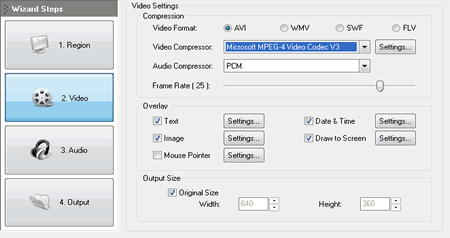
1. Click on 2. Video button and check Draw to Screen checkbox.
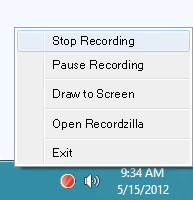
2. During the screen recording, you can start the draw to screen feature by using the hotkeys Shift + F7 or right-click on the System Tray red icon to popup the menu and select Draw to Screen
3. Draw anything you like on the screen
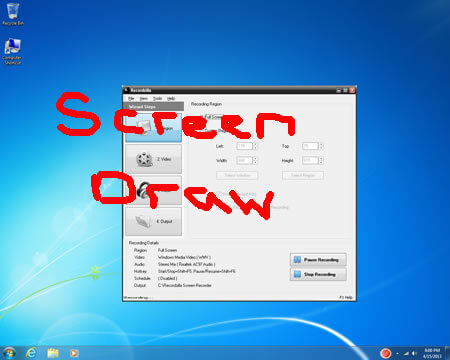
4. To exit the draw to screen feature, just right-click the mouse or hit any key on the keyboard.